설명 / Description
대부분의 시각화 디자인은 편안한 샘플 데이터셋으로 이루어집니다 — 20~200개 데이터 포인트, 고르게 분포, 결측값 없음, 이상치 없음. 차트가 우아하게 보입니다. 그런 다음 프로덕션 데이터를 만납니다: 거래가 없는 신규 사용자, 한 번 보고하고 오프라인된 센서, 활동이 없는 공휴일 기간, 한 시간에 50,000건의 기록을 생성하는 바이럴 이벤트. 개발 단계에서 세련되게 보이던 차트가 이제 빈 흰색 사각형, 외로운 점 하나, 또는 읽을 수 없는 밀집된 덩어리를 보여줍니다. 빈 상태를 위한 디자인이란 처음부터 이러한 극단 상황을 예상하고, 데이터 볼륨의 전체 범위에서 정보가 풍부하고 시각적으로 일관된 시각화를 구축하는 것을 의미합니다.
Adam Wathan과 Steve Schoger는 Refactoring UI에서 UI 디자인의 더 넓은 맥락으로 이 정확한 문제에 한 섹션을 할애합니다: "최상의 경우가 아닌, 최악의 경우를 먼저 디자인하라." 모든 사용자가 프로필 사진을 업로드하고, 자기소개를 작성하고, 세 개의 소셜 계정을 연결했다고 가정하는 기능 페이지는 아무것도 하지 않은 신규 사용자에게는 깨져 보입니다. 대시보드도 마찬가지입니다: 매출 데이터가 존재한다고 가정하는 KPI 카드는 기록이 없는 신규 부서에서 "undefined"나 "NaN"을 표시합니다. 빈 상태는 오류가 아니라, 자체적으로 디자인된 경험이 필요한 유효한 상태입니다.
반대 극단도 동등하게 중요합니다: 데이터 볼륨이 차트 설계 용량을 초과하면 어떻게 됩니까? 200개 포인트용으로 설계된 산점도가 50,000개에서 불투명한 덩어리가 됩니다. 5개 예상 카테고리용 바 차트가 500개 카테고리로 렌더링되면 읽을 수 없는 얇은 바가 됩니다. 견고한 시각화 디자인은 양 극단에서의 동작을 명시합니다: 고볼륨에는 집계 또는 샘플링 전략, 저볼륨에는 우아한 메시징 또는 대안적 레이아웃.
Most visualization design happens with a comfortable sample dataset — 20 to 200 data points, well-distributed, no missing values, no outliers. The chart looks elegant. Then it meets production data: a new user with zero transactions, a sensor that reported once before going offline, a holiday period with no activity, a viral event that generates 50,000 records in an hour. The chart that looked polished in development now shows a blank white rectangle, a single lonely dot, or a dense unreadable mass. Designing for empty states means anticipating these edge conditions from the start and building visualizations that remain informative and visually coherent across the full range of data volumes.
Adam Wathan and Steve Schoger dedicate a section of Refactoring UI to this exact problem in the broader context of UI design: "Don't design for the best case — design for the worst case first." A feature page that assumes every user has uploaded a profile photo, written a bio, and connected three social accounts will look broken for a new user who has done none of those things. The same is true for dashboards: a KPI card that assumes revenue data exists will show "undefined" or "NaN" when a new division has no records. An empty state is not an error — it is a valid state that deserves its own designed experience. That experience might be a message ("No data for this period — try expanding the date range"), a placeholder illustration, or a zero-baseline chart that visually represents the absence of data rather than pretending the chart does not exist.
The opposite extreme is equally important: what happens when data volume exceeds what the chart was designed for? A scatterplot designed for 200 points becomes an opaque blob at 50,000 points. A bar chart with 5 expected categories rendered with 500 categories produces unreadable sliver-width bars. Robust visualization design specifies behavior at both ends: aggregation or sampling strategies for high volume, and graceful messaging or alternative layouts for low volume. Mike Bostock's Observable notebooks frequently demonstrate this discipline, showing how the same chart specification adapts from sparse to dense data through thoughtful defaults and dynamic behavior.
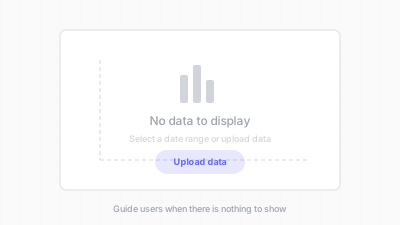
데이터가 없을 때도 의미 있는 화면을 설계한다 / Design meaningful screens even when there is no data
핵심 아이디어 / Key Ideas
- 데이터 없는 상태: 데이터가 없을 때, 의도적으로 디자인된 빈 상태를 보여주세요 — 빈 프레임, 에러 메시지, 깨진 레이아웃이 아니라. 차트가 왜 비어 있고 어떤 행동이 채울 수 있는지 설명하는 메시지("아직 판매 데이터가 없습니다. 첫 거래 후 데이터가 나타납니다.")가 침묵보다 훨씬 좋습니다.
- Zero data state: when there is no data, show an intentionally designed empty state — not a blank frame, not an error message, not a broken layout. A message explaining why the chart is empty and what action might populate it ("No sales data yet. Data will appear after your first transaction.") is far better than silence.
- 단일 데이터 포인트: 점 하나인 라인 차트는 선이 없습니다. 바 하나인 바 차트는 어색합니다. 이러한 상태를 명시적으로 디자인하세요: 단일 포인트에 명확한 레이블을 보여주거나, 임계값 미만일 때 더 단순한 표현(KPI 카드)으로 전환하세요.
- Single data point: a line chart with one point has no line. A bar chart with one bar looks odd. Design for these states explicitly: show the single point with a clear label, or switch to a simpler representation (a KPI card) when below a threshold.
- 갭이 있는 희소 데이터: 결측 기간이 있는 시계열은 보간된 선이 아니라 갭이나 null 구간을 보여야 합니다. 파선이나 축의 공백이 "여기에 데이터 없음"을 정직하게 전달합니다.
- Sparse data with gaps: time series with missing periods should show gaps or null segments, not interpolated lines that fabricate data. A dashed line or a gap in the axis communicates "no data here" honestly.
- 고볼륨 과부하: 데이터가 차트의 가독 용량을 초과할 때의 동작을 정의하세요. 전략: 집계(50,000포인트를 헥스빈으로), 샘플링(대표 부분집합 표시), 밀도 인코딩(불투명도로 농도 표현), 점진적 공개(개요 먼저, 상세는 요청 시).
- High-volume overload: define behavior for when data exceeds the chart's readable capacity. Strategies include: aggregation (bin 50,000 points into hexbins), sampling (show a representative subset), density encoding (use opacity to reveal concentration), or progressive disclosure (overview first, detail on demand).
- 동적 축 범위: 범위를 하드코딩(0~100)하면 범위 밖 데이터가 잘리거나, 모든 값이 5 근처에 몰릴 때 거의 빈 차트가 됩니다. 합리적인 패딩이 있는 자동 스케일링 축이 데이터에 적응합니다.
- Dynamic axis ranges: axes that hard-code a range (0 to 100) will clip data outside that range or show a nearly empty chart if all values cluster near 5. Auto-scaling axes with sensible padding adapt to the data at hand.
- 로딩 및 에러 상태: 데이터를 기다리는 차트는 빈 프레임이 아니라 스켈레톤이나 쉬머를 보여야 합니다. 데이터 로드에 실패한 차트는 영원히 돌아가는 스피너가 아니라 재시도 액션이 있는 에러 메시지를 보여야 합니다.
- Loading and error states: a chart that is waiting for data should show a skeleton or shimmer, not an empty frame. A chart that failed to load data should show an error message with a retry action, not a spinner that never resolves.
좋은 예시 / Good Examples
- Stripe 대시보드: 지표에 데이터가 없으면, Stripe는 차트 프레임에 중앙 메시지를 표시합니다: "No data for this period." 차트 구조(축, 제목)가 보여서, 차트가 작동하지만 데이터가 없음을 알 수 있습니다.
- Stripe Dashboard: when a metric has no data, Stripe displays the chart frame with a centered message: "No data for this period." The chart structure (axes, title) remains visible, signaling that the chart is functioning but the data is absent.
- Observable Plot의 도메인 추론: 기본적으로 Observable Plot은 데이터에서 축 도메인을 추론합니다. 데이터 볼륨이 변하면 차트가 자동으로 재스케일링되어 잘리거나 압축되지 않습니다. 같은 차트 사양이 희소한 데이터셋과 밀집한 데이터셋 모두에서 가독 가능한 차트를 생성합니다.
- Observable Plot's domain inference: by default, Observable Plot infers axis domains from the data. When data changes volume, the chart rescales automatically rather than clipping or compressing. The same plot specification produces a readable chart at both 320px and 1200px.
- GitHub 기여 그래프: 캘린더 히트맵은 기여가 없는 날에 회색 셀을 보여줍니다. 빈 셀은 숨겨지지 않고 — 활동적인 날을 돋보이게 하는 기준선을 형성합니다. 0도 스토리의 일부입니다.
- GitHub contribution graphs: the calendar heatmap shows grey cells for days with no contributions. The empty cells are not hidden — they form the baseline that makes active days visible. Zero is part of the story.
- 헥스빈 집계 산점도: D3의 hexbin 모듈이 과밀 산점도를 고볼륨에서 가독 가능한 밀도 맵으로 변환하면서, 저볼륨에서는 개별 포인트가 보입니다.
- Scatterplots with hexbin aggregation: D3's hexbin module transforms overplotted scatterplots into readable density maps at high volume, while at low volume the individual points remain visible.
- Grafana "No Data" 패널: "데이터 없음"과 "영(zero)"과 "에러"를 구분하는 명확한 "No Data" 배지를 패널에 표시하는 모니터링 대시보드. 운영자가 "아무 일도 안 일어남"과 "데이터 파이프라인 고장"의 차이를 알 수 있습니다.
- Grafana "No Data" panels: monitoring dashboards that display a clear "No Data" badge on a panel, distinct from "zero" and from "error," so operators know the difference between "nothing happened" and "the data pipeline is broken."
안티 패턴 / Anti-Patterns
- 빈 사각형: 데이터가 없을 때 차트 영역이 빈 흰색 박스로 렌더링됩니다. 관객은 차트 로드 실패인지, 데이터가 0인지, 컴포넌트가 고장인지 알 수 없습니다.
- Blank rectangles: a chart area that renders as an empty white box when data is absent. The viewer cannot tell whether the chart failed to load, the data is zero, or the component is broken.
- UI에 "NaN"과 "undefined" 노출: 축 레이블에 "NaN", 툴팁에 "undefined", KPI 카드에 "null" 표시. 이것은 개발자 아티팩트이지 사용자 인터페이스 상태가 아닙니다.
- "NaN" and "undefined" leaking into the UI: axis labels showing "NaN," tooltip text showing "undefined," or KPI cards displaying "null." These are developer artifacts, not user-facing states.
- 결측 데이터 보간: 라인 차트가 3개월의 데이터 공백을 통해 직선을 그려, 실제로 측정이 없었음에도 부드러운 전환을 암시합니다. 이것은 정보를 조작합니다.
- Interpolation through missing data: a line chart that draws a straight line through a 3-month gap in data, implying a smooth transition when in reality no measurements were taken. This fabricates information.
- 과밀 산점도: 100,000개의 불투명 포인트가 겹쳐 그려져 불투명한 덩어리를 만듭니다. 밀도 구조가 보이지 않습니다. 불투명도, 헥스빈, 등고선 플롯을 사용하여 패턴을 드러내세요.
- Overplotted scatterplots: 100,000 opaque points drawn on top of each other, producing a solid blob. The density structure is invisible. Use opacity, hexbins, or contour plots to reveal the pattern.
- 적응하지 않는 고정 축 범위: y축을 0~1000으로 하드코딩했는데 데이터 범위가 950~970입니다. 의미 있는 변동이 작은 시각적 범위에 압축되어 바나 선이 거의 동일하게 보입니다.
- Fixed axis ranges that don't adapt: a y-axis hardcoded to 0–1000 when data ranges from 950 to 970. The bars or lines appear nearly identical because the meaningful variation is compressed into a tiny visual range.
- "중간" 무시: 데이터 포인트 0개와 1000개를 위해 디자인하지만 3, 7, 15개는 무시합니다. 매우 넓은 3개의 바, 항목 2개로 외로운 범례 등 어색한 중간 상태도 관심이 필요합니다.
- Ignoring the "in between": designing for 0 data points and for 1000, but not for 3, 7, or 15. Awkward intermediate states — a bar chart with 3 very wide bars, a legend with 2 entries that looks lonely — deserve attention too.
더 읽어보기 / Further Reading
- Wathan, A., & Schoger, S. (2018). Refactoring UI. Self-published.
- Bostock, M., Ogievetsky, V., & Heer, J. (2011). D3: Data-Driven Documents. IEEE Transactions on Visualization and Computer Graphics, 17(12), 2301–2309.
- Few, S. (2012). Show Me the Numbers (2nd ed.). Analytics Press.
- Rosling, H., Rosling, O., & Ronnlund, A. R. (2018). Factfulness. Flatiron Books.
- Observable Plot: https://observablehq.com/plot/