설명 / Description
색상은 매혹적입니다. 차트에 의미를 추가하고 싶을 때 디자이너가 가장 먼저 손을 뻗는 시각적 속성입니다 — 나쁜 것은 빨간색, 좋은 것은 초록색, 카테고리 A는 파란색, 카테고리 B는 주황색. 그러나 색상은 시각화에서 가장 취약한 인코딩 채널이기도 합니다. 남성의 약 8%가 어떤 형태의 색각 이상을 가지고 있습니다. 모니터 보정이 다양하고, 프로젝터는 채도를 씻어내며, 인쇄물은 흑백일 수 있습니다. 완벽한 색각을 가진 관객도 색상만으로 정밀한 양적 판단을 하는 데 어려움을 겪습니다 — 그 바가 "중간 파란색"인가 "진한 파란색"인가? 이 주황색 톤은 "경고" 주황에 가까운가 "카테고리 C" 주황에 가까운가? 색상은 주요 데이터 채널로서 신뢰할 수 없으며, 가장 견고한 시각화는 색상을 주연이 아닌 조연으로 대합니다.
이 원칙은 Refactoring UI의 핵심 교훈과 일맥상통합니다: 상태나 상태를 전달하기 위해 색상에만 의존하지 마세요. Wathan과 Schoger는 텍스트, 아이콘, 레이아웃으로 이미 전달된 의미를 보강하는 데 색상을 사용하라고 조언합니다 — 혼자서 의미를 전달하게 하지 말고. "삭제"라고 적힌 빨간 버튼은 접근 가능하지만, 빨간색만인 버튼(레이블 없음)은 그렇지 않습니다. 데이터 시각화에서 이에 해당하는 것은: 위치(Cleveland와 McGill에 따르면 가장 정확한 지각 채널)를 통해 주요 데이터를 인코딩하고, 색상은 보조 정보 레이어나 특정 요소에 주의를 끄는 데 사용하는 것입니다. 바 높이가 매출을 인코딩하고 빨간 강조가 목표 미달 분기를 표시하는 바 차트는 견고합니다 — 색상을 제거해도 높이 정보는 남습니다. 색상이 유일한 인코딩인 히트맵은 취약합니다 — 범례 없이는 정확한 값을 추출할 수 없고, 색맹 관객은 전체 패턴을 놓칠 수 있습니다.
시각화에서 색상의 가장 효과적인 사용은 백과사전적이 아니라 강조적입니다. 모든 데이터 시리즈에 고유한 색을 할당하는 대신, 맥락에 하나의 차분한 톤을 사용하고 관객이 집중해야 할 요소에 강렬한 강조색을 남겨두세요. 이것이 Cole Nussbaumer Knaflic가 주창하고 데이터 저널리즘에서 널리 채택된 "회색 + 강조" 기법입니다. 색상은 사전이 아니라 스포트라이트가 됩니다.
Color is seductive. It is the first visual property designers reach for when they want to add meaning to a chart — red for bad, green for good, blue for category A, orange for category B. But color is also the most fragile encoding channel in visualization. Approximately 8% of men have some form of color vision deficiency. Monitors vary in calibration. Projectors wash out saturation. Printouts may be grayscale. And even viewers with perfect color vision struggle to make precise quantitative judgments from hue alone — is that bar "medium blue" or "dark blue"? Is this shade of orange closer to the "warning" orange or the "category C" orange? Color is unreliable as a primary data channel, and the most robust visualizations treat it as a supporting actor, not the lead.
This principle echoes a core lesson from Refactoring UI: don't rely on color alone to communicate status or state. Wathan and Schoger advise using color to reinforce meaning that is already conveyed through text, icons, or layout — not to carry meaning by itself. A button labeled "Delete" in red is accessible; a button that is only red (no label) is not. In data visualization, the equivalent is: encode the primary data through position (the most accurate perceptual channel, per Cleveland and McGill), then use color to add a secondary layer of information or to draw attention to specific elements. A bar chart where bar height encodes revenue and a red highlight marks the quarter that missed target is robust — remove the color and the height information remains. A heatmap where color is the only encoding is fragile — the viewer cannot extract precise values without a legend, and colorblind viewers may miss entire patterns.
The most effective uses of color in visualization are emphatic, not encyclopedic. Rather than assigning a unique color to every data series, use a single muted tone for context and reserve a bold accent color for the element the viewer should focus on. This is the "grey + highlight" technique championed by Cole Nussbaumer Knaflic and widely adopted in data journalism. Color becomes a spotlight, not a dictionary.
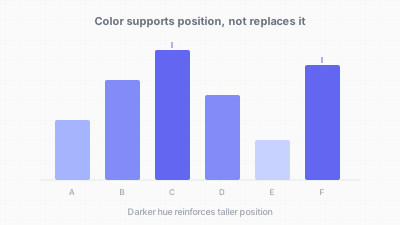
색상은 주연이 아닌 조연 — 위치와 형태를 보강하는 역할 / Color as supporting actor — reinforcing position and shape
핵심 아이디어 / Key Ideas
- 위치가 먼저, 색상은 나중에: 주요 변수를 공간 위치(x, y 좌표, 바 길이, 선 궤적)로 인코딩하세요. 색상은 보조 변수를 인코딩하거나 강조를 추가하는 데 사용합니다.
- Position first, color second: encode the primary variable through spatial position (x, y coordinates, bar length, line trajectory). Use color to encode a secondary variable or to add emphasis.
- 중복 인코딩: 색상이 의미를 전달할 때, 두 번째 채널 — 텍스트 레이블, 아이콘, 패턴, 형태 — 으로 뒷받침하세요. 상태 표시기는 빨간색이면서 "위험"이라고 표시되어야 합니다.
- Redundant encoding: when color carries meaning, back it up with a second channel — text labels, icons, patterns, or shapes. A status indicator should be red AND labeled "Critical," not just red.
- 회색 + 강조 패턴: 모든 데이터 시리즈를 중성 회색으로 렌더링하고, 내러티브가 집중하는 1~2개 시리즈에만 색을 입힙니다. 다색 범례를 해독하지 않아도 관객의 주의가 유도됩니다.
- The grey + highlight pattern: render all data series in neutral grey, then color only the 1–2 series the narrative focuses on. The viewer's attention is directed without requiring them to decode a multi-color legend.
- 그루핑에는 좋지만 정밀도에는 부적절: 색상은 "이 그룹 vs. 저 그룹"(범주적) 구분에는 효과적이지만 "이 값이 7.3이고 저 값이 8.1"(양적) 전달에는 부적절합니다. 양적 정밀도에는 위치나 길이를 사용하세요.
- Color for grouping, not precision: color is effective at distinguishing "this group vs. that group" (categorical) but poor at communicating "this value is 7.3 and that value is 8.1" (quantitative). For quantitative precision, use position or length.
- 팔레트 제한: 대부분의 시각화는 최대 5~7개의 구별 가능한 색이 필요합니다. 그 이상이면 색이 구분 불가능해집니다. 더 많은 카테고리가 있으면 인터랙티브 필터링, 소형 다중, 직접 레이블을 사용하여 색상 부담을 줄이세요.
- Limit the palette: most visualizations need at most 5–7 distinct colors. Beyond that, colors become indistinguishable. If you have more categories, use interactive filtering, small multiples, or direct labeling to reduce the color burden.
- 색상 없이 테스트: 차트를 그레이스케일로 보세요(대부분의 OS 접근성 도구로 시뮬레이션 가능). 핵심 인사이트가 사라지면 차트가 색상에 과도하게 의존하고 있는 것입니다.
- Test without color: view the chart in grayscale (most OS accessibility tools can simulate this). If the key insight disappears, the chart is over-reliant on color.
좋은 예시 / Good Examples
- 뉴욕 타임스 선거 지도: 색상(빨강/파랑)을 투표 차이와 당선자 이름을 보여주는 텍스트 레이블로 보강합니다. 그레이스케일이나 색맹 관객도 텍스트 정보로 스토리를 파악할 수 있습니다.
- The New York Times election maps that use color (red/blue) reinforced by text labels showing vote margins and winner names. Even in grayscale or for colorblind viewers, the textual information carries the story.
- 형태 + 색상 인코딩 산점도: D3와 Observable Plot 예시에서 한 카테고리에 원, 다른 카테고리에 삼각형을 사용하고 색상을 중복 채널로 활용합니다. 색상을 제거해도 형태가 그룹을 구분합니다.
- Scatterplots with shape + color encoding: D3 and Observable Plot examples that use circles for one category and triangles for another, with color as a redundant channel. Remove color and the shapes still distinguish the groups.
- 금융 대시보드: 수익/손실을 초록/빨강 색상과 위/아래 화살표 아이콘, +/- 숫자 레이블로 함께 보여줍니다. 세 채널이 같은 방향을 인코딩하여 모든 관객에게 정보가 전달됩니다.
- Financial dashboards that show gains/losses with green/red color AND up/down arrow icons AND +/- numeric labels. Three channels encode the same direction, ensuring the information reaches every viewer.
- 단일 강조 바 차트: 모든 바가 차분한 회색, 관심 바만 강렬한 파란색. 관객의 시선이 즉시 강조된 바로 향하고, 회색 바들이 색상 해독 없이 맥락을 제공합니다.
- Bar charts with a single highlight bar: all bars in a muted grey, the bar of interest in a bold blue. The viewer's eye goes to the highlighted bar immediately, and the grey bars provide context without requiring color decoding.
안티 패턴 / Anti-Patterns
- 색상만의 신호등: 텍스트 레이블 없이 초록, 노랑, 빨강 원만 있는 대시보드. 적록 색맹 관객은 빨강과 초록을 구분할 수 없습니다. "정상", "주의", "위험" 레이블을 추가하세요.
- Color-only traffic lights: a dashboard with green, yellow, and red circles and no text labels. Deuteranopic viewers cannot distinguish red from green. Add "OK," "Warning," "Critical" labels.
- 연속 데이터의 무지개 인코딩: 히트맵에서 연속 변수를 무지개 또는 jet 팔레트로 인코딩하고 중복 인코딩이 없습니다. 지각적 비균일성이 거짓 경계를 만들고, 색맹 관객은 빨강-초록 전환 영역에서 정보를 잃습니다.
- Rainbow-encoded continuous data: using a rainbow or jet palette to encode a continuous variable on a heatmap, with no redundant encoding. Perceptual non-uniformity creates false boundaries, and colorblind viewers lose information in the red-green transition zone.
- 15개 이상 카테고리에 색 할당: 15개 색상 시리즈와 15개 항목의 범례가 있는 라인 차트. 어떤 관객도 15개 색을 15개 이름에 신뢰성 있게 매핑할 수 없습니다. 직접 레이블이나 소형 다중을 대신 사용하세요.
- Assigning colors to 15+ categories: a line chart with 15 colored series and a legend with 15 entries. No viewer can reliably map 15 colors to 15 names. Use direct labeling or small multiples instead.
- 맥락 없이 "빨강은 나쁘다": "나쁘다"가 목표 미달인지, 하락 중인지, 통계적으로 유의한지 설명 없이 빨간색으로 값을 강조합니다. 색상이 감정적 톤을 설정하지만 텍스트가 해석을 제공해야 합니다.
- "Red means bad" without context: using red to highlight a value without explaining whether "bad" means below target, declining, or statistically significant. Color sets the emotional tone but text must provide the interpretation.
- 유일한 표현으로서의 단계구분도: 복잡한 변수를 지리적 색 채우기로만 인코딩합니다. 면적 편향(큰 지역이 시각적으로 지배)과 색 정밀도 문제(그 카운티가 진한 파랑인지 중간 파랑인지?)로 어려움을 겪습니다. 바 차트, 테이블, 또는 툴팁과 함께 사용하세요.
- Choropleth maps as the sole representation: encoding a complex variable purely through geographic color fill. Viewers struggle with area bias (large regions dominate visually) and color precision (is that county dark blue or medium blue?). Pair with a bar chart, table, or tooltip.
더 읽어보기 / Further Reading
- Wathan, A., & Schoger, S. (2018). Refactoring UI. Self-published.
- Munzner, T. (2014). Visualization Analysis and Design. CRC Press.
- Ware, C. (2012). Information Visualization: Perception for Design (3rd ed.). Morgan Kaufmann.
- Cleveland, W. S., & McGill, R. (1984). Graphical Perception: Theory, Experimentation, and Application to the Development of Graphical Methods. Journal of the American Statistical Association, 79(387), 531–554.
- Knaflic, C. N. (2015). Storytelling with Data. Wiley.